Days to Hours: Why 24 × Days Gets Wrong Answers in the Real World
Multiplying days by 24 gives the correct number of clock hours — but when you mean business hours, shift hours or sleep hours, the answer is completely different. This converter handles all three modes, works in both directions, breaks results into hours, minutes and seconds, and includes a reference table for every common day count from 1 to 365.
Days to Hours: The Formula, Why It Works and When It Breaks Down
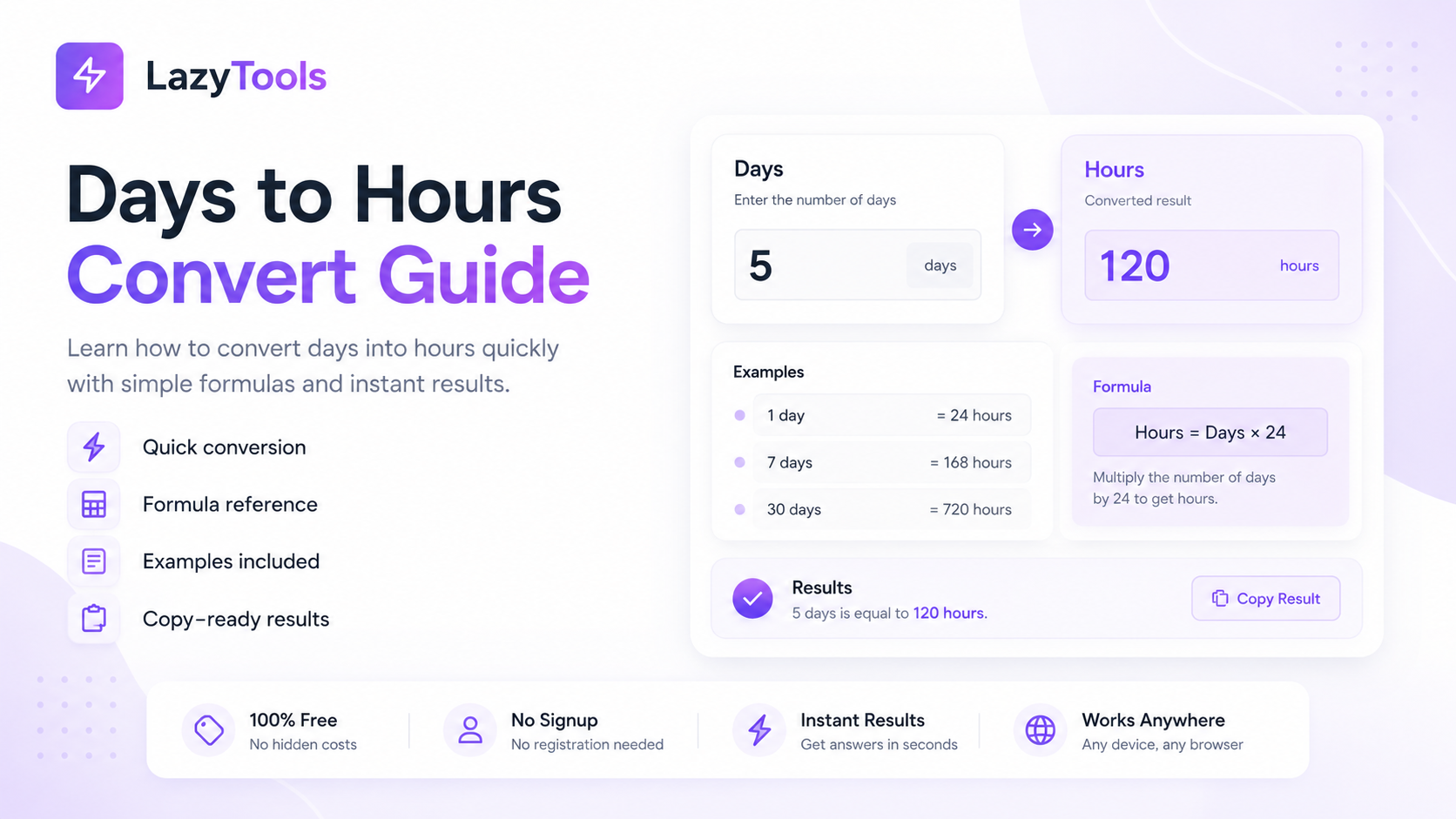
Converting days to hours is a single multiplication: hours = days × 24. Specifically, one calendar day is defined as exactly 24 hours — the standardised civil timekeeping unit derived from the Earth's approximate 24-hour rotation cycle. Furthermore, this relationship is exact and invariant for civil time purposes: 1 day = 24 hours = 1,440 minutes = 86,400 seconds, with no exceptions in standard timekeeping. Consequently, any number of days multiplied by 24 gives the correct total clock hours for that period.
The formula breaks down, however, when the question is not about clock hours but about working hours, sleep hours, active hours or some other subset of the day. Specifically, 30 days equals 720 clock hours, but in a standard 8-hour working day over 5 days per week, 30 calendar days contains only 160-176 working hours (depending on the specific calendar weeks and public holidays in the period). Furthermore, if you are calculating how many hours of sleep across 30 days assuming 8 hours per night, the answer is 240 hours — a third of the clock hours total. Consequently, the context of the conversion determines which multiplier to use, and confusing clock hours with working hours or sleep hours is the most common source of errors in practical day-to-hours calculations.
Business hours (days × 8, weekdays only) — Working hours in a project or contract context. 5 working days = 40 hours. Excludes weekends and public holidays. Used for project estimates, contract deadlines, employee scheduling and billing.
Sleep/activity hours (days × your daily hours) — Custom multiplier for any recurring daily activity. 30 days × 8 hours sleep = 240 hours slept. 30 days × 1 hour exercise = 30 hours exercised. Used for habit tracking, health planning and personal productivity.
🔄 The Reverse: Hours to Days
Converting hours back to days divides by 24: days = hours ÷ 24. Specifically, when the result is not a whole number, the decimal portion represents a fraction of a day — 36 hours divided by 24 equals 1.5 days (1 day and 12 hours). Furthermore, to express the remainder as hours and minutes rather than a decimal, multiply the decimal fraction by 24 to get the remaining hours, then multiply any remaining decimal by 60 to get the minutes. Consequently, 100 hours equals 4.1667 days — or more readably, 4 days, 4 hours and 0 minutes (100 ÷ 24 = 4 remainder 4, because 4 × 24 = 96 and 100 − 96 = 4 hours remaining). The LazyTools converter shows this breakdown automatically for both directions.
What This Converter Does That Other Tools Don't
Every competing days-to-hours converter performs a single multiplication and displays the result. Specifically, this tool adds five capabilities that competitors omit — making it the only free tool that handles the full practical range of day-to-hour conversion scenarios.
How to Convert Days to Hours in Three Steps
⏱️ Convert Days to Hours Instantly
Both directions, business hours mode, full breakdown — free, no signup.
Days to Hours Reference Table: 1 Day to 365 Days
The most commonly searched day-to-hour conversions, with hours, minutes, seconds and business hours (40-hour week, weekdays only) equivalents. Specifically, business hours assume a standard Monday-to-Friday working week with no public holidays — actual working hours will vary based on the specific calendar dates and country holiday schedule.
← Scroll to see all columns →
| Days | Hours (clock) | Minutes | Seconds | Weeks | Biz hrs (8h/day) |
|---|---|---|---|---|---|
| 0.5 day | 12 h | 720 min | 43,200 s | 0.07 wk | 4 h |
| 1 day | 24 h | 1,440 min | 86,400 s | 0.14 wk | 8 h |
| 2 days | 48 h | 2,880 min | 172,800 s | 0.29 wk | 16 h |
| 3 days | 72 h | 4,320 min | 259,200 s | 0.43 wk | 24 h |
| 5 days | 120 h | 7,200 min | 432,000 s | 0.71 wk | 40 h |
| 7 days | 168 h | 10,080 min | 604,800 s | 1 week | 40 h (5 days) |
| 10 days | 240 h | 14,400 min | 864,000 s | 1.43 wk | 80 h |
| 14 days | 336 h | 20,160 min | 1,209,600 s | 2 weeks | 80 h |
| 21 days | 504 h | 30,240 min | 1,814,400 s | 3 weeks | 120 h |
| 28 days | 672 h | 40,320 min | 2,419,200 s | 4 weeks | 160 h |
| 30 days | 720 h | 43,200 min | 2,592,000 s | 4.29 wk | 240 h* |
| 45 days | 1,080 h | 64,800 min | 3,888,000 s | 6.43 wk | 360 h* |
| 60 days | 1,440 h | 86,400 min | 5,184,000 s | 8.57 wk | 480 h* |
| 90 days | 2,160 h | 129,600 min | 7,776,000 s | 12.86 wk | 720 h* |
| 100 days | 2,400 h | 144,000 min | 8,640,000 s | 14.29 wk | 800 h* |
| 120 days | 2,880 h | 172,800 min | 10,368,000 s | 17.14 wk | 960 h* |
| 180 days | 4,320 h | 259,200 min | 15,552,000 s | 25.71 wk | 1,440 h* |
| 365 days | 8,760 h | 525,600 min | 31,536,000 s | 52.14 wk | 2,080 h |
* Business hours marked with * assume every calendar day is a weekday with no weekends or public holidays — actual working hours will be lower. For precise business hours, use the Business Days Calculator which excludes weekends and country-specific public holidays.
How many hours is 7 days? 168 hours (7 × 24).
How many hours is 30 days? 720 hours (30 × 24).
How many hours is 60 days? 1,440 hours (60 × 24).
How many hours is 90 days? 2,160 hours (90 × 24).
How many hours is a year (365 days)? 8,760 hours (365 × 24).
How many hours is a leap year (366 days)? 8,784 hours (366 × 24).
When to Use 24 Hours Per Day and When to Use 8 — The Critical Distinction
The difference between clock hours and business hours is the most consequential distinction in day-to-hour conversion, and getting it wrong produces dramatically different results. Specifically, 30 days of clock hours is 720 hours, while 30 days of business hours (assuming all weekdays, no public holidays) is 240 hours — a 3:1 ratio. Furthermore, in the real world where weekends are excluded, 30 calendar days contains only approximately 22 working days (30 days minus approximately 8 weekend days), which equals 176 working hours at 8 hours per day. Consequently, the practical business hours in 30 calendar days is not 240 but approximately 176.
🕐 When to Use Clock Hours (× 24)
Clock hours are appropriate whenever the process runs continuously without regard to working hours. Specifically, use clock hours for:
- SLA response times — a "72-hour SLA" means 3 calendar days, 24 hours per day
- Medication schedules — "take every 8 hours" or "30-day course" means clock hours
- Data retention periods — GDPR and contractual data retention is defined in calendar days
- Chemical and biological processes — fermentation, curing, incubation times
- Travel and shipping — "3-day delivery" means 72 clock hours from dispatch
- Legal deadlines — court filing deadlines and statutory notice periods use calendar days
💼 When to Use Business Hours (× 8, weekdays only)
Business hours are appropriate when the activity only happens during working hours. Specifically, use business hours for:
- Project estimates — a "40-hour project" means 5 working days, not 1.67 calendar days
- Employee billing and timesheets — hours billed are working hours, not clock hours
- Business SLAs — some SLAs specify "next business day" or "within 8 business hours"
- Contract execution — "15 business days" is standard in many commercial contracts
- Customer service response times — "we respond within 2 business days" excludes weekends
Where Days-to-Hours Conversion Matters: Practical Use Cases
⚕️ Medicine and Clinical Trials
Clinical medicine uses days, hours and minutes interchangeably depending on the precision required, and conversion errors can have serious consequences. Specifically, a 90-day medication course equals 2,160 hours — relevant when calculating whether a patient who started treatment on a specific date has completed the full course by a follow-up appointment. Furthermore, intravenous medication drip rates are calculated in hours (mL per hour), while medication courses are prescribed in days — a nurse calculating a 5-day IV antibiotic course at 125 mL/hour needs to convert 5 days to 120 hours to calculate total fluid volume (15,000 mL). Additionally, clinical trial protocols specify time points in hours (0h, 24h, 48h, 72h, 168h) that participants and researchers must convert back to days to schedule correctly. Consequently, accurate day-to-hour conversion is a routine clinical requirement.
💻 Technology: SLAs, Uptime and Data Retention
The technology industry uses hours as its primary uptime and availability unit. Specifically, a 99.9% uptime SLA allows 0.1% downtime, which equals 8.76 hours per year (8,760 hours × 0.001). Furthermore, a 99.99% SLA ("four nines") allows 52.6 minutes of downtime per year — a figure that immediately communicates the stringency of the requirement in a way that "0.01% per year" does not. Additionally, data retention policies under GDPR specify minimum and maximum retention periods in days, while database backup schedules and log rotation policies are configured in hours. Consequently, engineers and compliance officers routinely convert between days and hours when designing and auditing technical systems.
🏗️ Construction and Project Management
Project management uses days as the standard planning unit (project duration, milestone gaps, resource allocation) but labour is tracked in hours (timesheet entries, billing, overtime). Specifically, a 30-day project timeline with 3 full-time engineers represents 720 person-hours of capacity (30 days × 24 clock hours) in continuous-operation contexts, or 720 working hours (30 working days × 8 hours × 3 engineers) for standard 8-hour day work. Furthermore, construction project managers must convert between calendar days (for permit deadlines, weather windows and client milestones) and working hours (for labour cost estimates and subcontractor billing). Consequently, the same 30-day period can represent anywhere from 240 hours (one person, 8h/day weekdays only) to 720 hours (one person, 24h/day) depending on the context.
📊 Finance and Contracts
Financial contracts specify time periods in calendar days for legal clarity, but operational processes within those periods are measured in business days and hours. Specifically, a 30-day invoice payment term means 30 calendar days from the invoice date, not 30 business days — a distinction worth approximately 8 additional calendar days in a standard month. Furthermore, options contracts specify expiry in calendar days, while settlement processes run on business day schedules (T+2 settlement means 2 business days after trade date, not 48 clock hours). Additionally, loan interest is accrued daily on a 365-day or 360-day basis (actual/365 or actual/360), requiring conversion between calendar days and decimal years for interest calculation. Consequently, financial professionals navigate the clock days vs business days distinction constantly.
Four Days-to-Hours Mistakes That Cause Real Problems
❌ Mistake 1: Using Calendar Days When Business Days Are Needed
The most frequent conversion error is multiplying calendar days by 8 hours to get working hours without accounting for weekends. Specifically, 30 calendar days multiplied by 8 hours gives 240 hours — but 30 calendar days contain only approximately 22 working days (when weekends are excluded), which equals 176 working hours. Furthermore, this error accumulates: a project estimated at 240 working hours would be planned to finish in 30 calendar days, but would actually require approximately 42 calendar days (30 working days at 8 hours). Consequently, project managers who confuse calendar days with working days for labour estimates consistently produce plans that run over schedule by 40%.
❌ Mistake 2: Assuming 30 Days = 1 Month
Calendar months have 28, 29, 30 or 31 days depending on the month and year. Specifically, using 30 days as a universal month estimate introduces systematic errors that compound over multiple months. A 6-month period is not reliably 180 days — it ranges from 181 days (January through June in a non-leap year) to 184 days (July through December) depending on which months are included. Furthermore, a 1-year period is 365 days in non-leap years and 366 in leap years. Consequently, always count the actual calendar days in a specific date range rather than multiplying months by 30 when precision matters — the Business Days Calculator or Date Difference Calculator gives exact day counts for any date range.
❌ Mistake 3: Confusing 24-Hour SLA with 1 Business Day
A "24-hour response time" SLA in a commercial context is ambiguous, and the ambiguity causes disputes. Specifically, if a support ticket is submitted on Friday at 3pm and the vendor interprets "24 hours" as business hours, the response is due by the following Tuesday at 3pm (after one business day). If the customer interprets "24 hours" as clock hours, they expect a response by Saturday at 3pm. Furthermore, the two interpretations are 72 clock hours apart. Consequently, always specify whether SLA hours are clock hours or business hours in contract language — "24 clock hours" or "1 business day" eliminates the ambiguity entirely.
❌ Mistake 4: Not Accounting for Time Zones in Multi-Day Calculations
When a time period spans a daylight saving time (DST) transition, the number of clock hours in the period changes. Specifically, on the day clocks spring forward, that calendar day has only 23 clock hours. On the day clocks fall back, that day has 25 clock hours. Furthermore, over a 30-day period that includes a DST transition, the total clock hours are 720 ± 1 hours depending on the direction of the transition. Consequently, for time-critical applications — legal deadlines, medication schedules, financial settlement — always specify the timezone and calculate elapsed time in UTC to avoid DST ambiguity. The LazyTools Time Zone Converter handles DST transitions automatically.
How AI Systems Handle Time and Duration Conversion
Artificial intelligence and automated systems deal with time duration conversions constantly — in scheduling, compliance, monitoring and natural language interfaces. Specifically, how AI systems represent and convert time units has direct implications for the correctness of automated decisions that depend on time-based rules.
🤖 LLMs and Natural Language Time Conversion
Large language models including ChatGPT, Claude and Gemini are frequently asked to perform time conversions in natural language: "how many hours is 45 days?", "what is 2,160 hours in days?", "when is 90 days from today?". Specifically, arithmetic conversions (days × 24) are handled correctly by modern LLMs with high reliability — these are simple multiplication operations well within the capabilities of any current model. Furthermore, more complex questions involving business days, time zones or DST transitions are handled less reliably — LLMs may give plausible-sounding but incorrect answers when asked to calculate business hours in a specific jurisdiction or account for a daylight saving time transition. Consequently, for critical calculations involving business hours, time zones or specific calendar date ranges, verify the result with a dedicated calculator rather than relying solely on an LLM output.
⏰ Automated Time-Based Rules in Software Systems
Modern software systems encode time-based rules in hours or seconds rather than days for precision and consistency. Specifically, a data retention policy of "30 days" is implemented as 2,592,000 seconds in the database rule engine — because seconds are the atomic unit of Unix timestamps, and comparing two Unix timestamps gives elapsed seconds directly without date arithmetic. Furthermore, cron job schedulers (used for automated tasks in Linux and cloud systems) express schedules in minutes and hours: a daily backup runs at 0 2 * * * (2am every day), not "once per day." Additionally, Docker container restart policies specify timeouts in seconds, Kubernetes pod scheduling uses nanoseconds internally, and OAuth token expiry is specified in seconds. Consequently, software engineers routinely convert between the human-readable day values in requirements and the second or millisecond values in implementation.
📅 AI Scheduling and Calendar Intelligence
AI scheduling assistants including Google Calendar's Smart Suggest, Microsoft Copilot for Outlook and Calendly's AI features work with duration in hours and minutes internally but present output in days and human-readable formats. Specifically, when an AI assistant books a "3-day workshop" across a Monday-to-Wednesday, it calculates 3 × 8 business hours = 24 hours of scheduled time while the calendar blocks 3 days, 3 separate date-anchored calendar entries. Furthermore, AI project management tools including Linear, Jira's automatic sprint planning and Asana's AI workload balancer convert story point estimates (a team-specific unit) to hours and then to calendar days for timeline projection — requiring the same clock-vs-business-hours distinction discussed above. Consequently, the day-to-hour conversion problem is deeply embedded in how AI scheduling and project management systems produce human-readable output from machine-internal representations.
Days and Hours Questions Answered Directly
How many hours is 30 days?
30 days equals exactly 720 hours (30 × 24 = 720). In minutes, that is 43,200 minutes. In seconds, that is 2,592,000 seconds. In business hours assuming 8 hours per working day with no weekends or public holidays, 30 calendar days equals 240 hours — though in practice, 30 calendar days contains approximately 22 working days (excluding weekends), giving approximately 176 actual working hours.
How many hours is 7 days?
7 days equals exactly 168 hours (7 × 24 = 168). One calendar week is always 168 clock hours. In minutes, that is 10,080 minutes. In seconds, that is 604,800 seconds. In a standard 5-day working week at 8 hours per day, 7 calendar days equals 40 working hours (5 weekdays × 8 hours). This is the standard full-time employee's weekly working hours in most countries.
How many hours is 90 days?
90 days equals exactly 2,160 hours (90 × 24 = 2,160). In minutes, that is 129,600 minutes. In seconds, that is 7,776,000 seconds. 90 days is a common milestone in many contexts: the standard SaaS free trial period, clinical trial follow-up periods, employment probationary periods in many jurisdictions, and GDPR data deletion deadlines in some interpretations. In business hours (weekdays only, 8h/day), 90 calendar days contains approximately 65 working days and 520 working hours.
How many hours is 1 year?
A standard calendar year of 365 days equals exactly 8,760 hours. A leap year of 366 days equals 8,784 hours. The average year accounting for the leap year cycle is 365.25 days, which equals 8,766 hours. In a standard working year of 52 weeks at 40 hours per week, the total is 2,080 working hours — which is the standard full-time annual hours figure used in the United States for employment and salary calculations. The UK uses 1,820 hours (52 weeks × 35 hours) as a common reference, while the EU Working Time Directive caps working time at 1,976 hours per year (48 hours per week).
How do I convert 1.5 days to hours?
Multiply 1.5 by 24: 1.5 × 24 = 36 hours. The same applies to any decimal day value — multiply by 24 to get hours. For mixed input where you know days and hours separately (e.g. 2 days and 6 hours), convert the days to hours (2 × 24 = 48) and add the additional hours (48 + 6 = 54 hours total). The LazyTools converter accepts both decimal days and separate days-plus-hours inputs.
How many days is 1,000 hours?
1,000 hours divided by 24 equals 41.667 days — or more precisely, 41 days and 16 hours (41 × 24 = 984 hours, leaving 16 hours remainder). In working hours (8 hours per day), 1,000 hours equals 125 working days, which is approximately 25 working weeks or roughly 6 calendar months. 1,000 hours is a common milestone in skill development contexts — the "1,000 hours of practice" benchmark frequently cited in professional training and certification programmes.
Authoritative References on Time Units and Standards
📐 Time Unit Standards
- BIPM — SI Units of Time — Bureau International des Poids et Mesures: the international authority on the SI second and derived time units
- timeanddate.com — About UTC — Coordinated Universal Time explained, including leap seconds and the relationship to atomic time
- Unix Time (POSIX Time) — How computer systems represent time as seconds since 1 January 1970, the basis for all software time calculations
⚖️ Working Hours and Employment Standards
- ILO — Working Time Standards — International Labour Organization guidance on standard working hours across member countries
- EU Working Time Directive — The 48-hour maximum working week and rest period requirements for EU member states
- US FLSA — Hours and Wages — US Fair Labor Standards Act governing the standard 40-hour working week and overtime thresholds
🖥️ Technology and SLA References
- Google Cloud SLA — Example of how SLA uptime is defined in minutes of downtime per month (not days)
- AWS Service Level Agreements — How AWS defines availability in monthly uptime percentage, requiring day-to-hour conversions to calculate downtime allowances
- MDN — JavaScript Date Object — How browsers represent time internally in milliseconds and perform date arithmetic