Your Business Creates 8 Different Documents — Here Is a Free Generator for Every Single One
From the first quote you send a prospect to the expense claim you submit after the project closes, every business transaction leaves a paper trail. Most businesses use a patchwork of Word templates, PDF downloads, and paid SaaS tools to manage this trail. LazyTools provides all eight essential business documents — quote, invoice, receipt, credit note, purchase order, delivery note, shipping label and expense report — as free, browser-based generators that never upload your data, never add watermarks and never require an account.
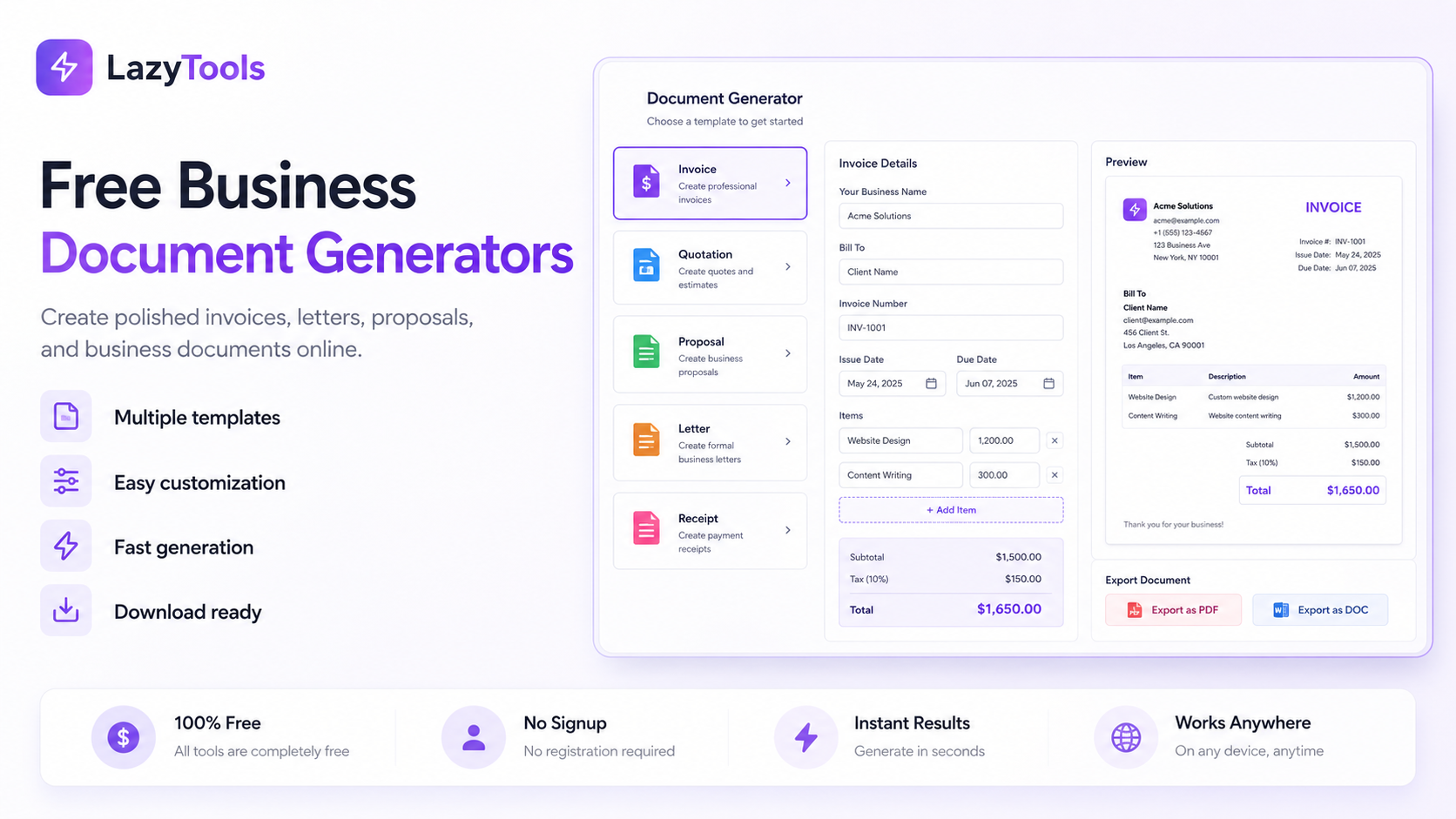
The Document Chaos That Costs Small Businesses Time, Money and Credibility
Every paid invoice, every supplier relationship and every expense reimbursement depends on a document being created correctly, at the right time, containing the right information. Specifically, businesses that manage this paper trail carelessly pay a measurable price — delayed payments from unclear invoices, VAT recovery failures from missing credit notes, supplier disputes from undocumented purchase orders, and rejected expense claims from incorrect mileage rates. Furthermore, the credibility signal of professional documentation is significant: a freelancer who sends a branded, itemised PDF invoice gets paid faster than one who sends a rough number by email, because the professional document signals competence and reduces the recipient's cognitive load to the single question of whether to approve payment.
The practical problem is that most free tools are either too simple or too expensive. Specifically, Word templates require manual formatting and are prone to version drift, breaking when employees use different versions of Office. Paid alternatives — Zoho Invoice, QuickBooks, FreshBooks — are excellent but cost money and require company-wide adoption before anyone can access even the most basic document. Furthermore, SaaS tools upload your business data to their servers, require accounts before downloading anything, and frequently add watermarks to free-tier PDFs that undermine the professional appearance you are trying to achieve. Consequently, the LazyTools business document suite provides all eight essential generators in your browser — no account, no watermark, no server upload, no cost — as a practical alternative that any individual or small business can use immediately.
Eight Free Business Document Generators — One for Every Stage of the Transaction
Each tool in the suite handles a specific document type and is purpose-built for that document's unique requirements — not a generic invoice template renamed and repurposed. Specifically, the quote generator has validity periods and deposit calculations; the purchase order has GL codes, FOB terms and approver workflows; the delivery note has partial delivery tracking and condition notes per line. Furthermore, all eight tools share consistent design (Modern, Classic and Minimal templates), consistent currency support (22 currencies), and consistent auto-save behaviour. Consequently, a business can generate its entire document set in one ecosystem with consistent branding across all outputs.
How All Eight Documents Connect: The Complete Transaction Paper Trail
Business documents do not exist in isolation — each one plays a specific role at a specific stage of the commercial transaction, and together they form an unbroken chain of evidence from first contact to final reconciliation. Specifically, understanding the full lifecycle is what allows businesses to use the right document at the right time, creating a clean audit trail that satisfies both their own accounting requirements and the expectations of tax authorities and trading partners.
Stage 1: Quote — Defining the Deal
The quote is the first formal document in any commercial transaction. Specifically, it is a binding offer stating exactly what will be delivered, at what price, for what period the offer is valid. Once the client accepts within the validity window, the quoted price becomes the contractual price — which is why the validity period is the most critical field on any quote. Furthermore, a well-written quote defines scope so precisely that scope disputes later in the project become impossible: it includes both what is and what is not included. Consequently, the quote is not a sales nicety — it is the legal foundation of the project's commercial terms.
Stage 2: Purchase Order — The Buyer's Authorization
In B2B transactions, the buyer's response to an accepted quote or an unsolicited order is a purchase order. Specifically, the PO is the buyer's formal authorization document — it states what is being ordered, the agreed price, the delivery address, the required-by date, and the approver who committed the funds. Furthermore, once the vendor accepts the PO, it becomes a binding contract enforceable by both parties. Additionally, the PO is the linchpin of accounts payable controls: every invoice that arrives without a matching PO number is a potential unauthorized purchase. Consequently, implementing PO discipline — issuing a PO before every significant spend — is the cheapest financial control a growing business can put in place.
Stage 3: Invoice — The Payment Request
The invoice is the vendor's formal payment request, sent after goods are delivered or services rendered. Specifically, it must include the invoice number, date, due date, itemised line items with the applicable tax rate per line, subtotal, tax total, grand total, and payment instructions. Furthermore, in VAT and GST jurisdictions, a tax invoice has specific legal requirements that vary by country — GSTIN in India, VAT registration number in the UK and EU, TRN in the UAE, ABN in Australia. Consequently, using a purpose-built invoice generator rather than a generic document template ensures the mandatory fields are always present and correctly formatted for the relevant jurisdiction.
Stage 4: Delivery Note — Proof of Delivery
The delivery note accompanies the physical goods and is signed by the recipient as confirmation of what was received. Specifically, unlike the invoice (which goes to accounts payable), the delivery note goes to the warehouse or goods-in team who verify the physical contents of the shipment against the note. Furthermore, a signed delivery note is the primary evidence in any dispute about whether goods were delivered, in what quantity, and in what condition — making it more valuable than the invoice in any delivery dispute. Additionally, for partial deliveries, the delivery note shows both the ordered and delivered quantities so the recipient knows what is still outstanding.
Stage 5: Shipping Label — Routing the Package
The shipping label goes on the outside of the package and tells the carrier where to deliver it and at what service level. Specifically, the tracking number barcode on the label creates the link between the physical parcel and its electronic record in the carrier's system — scanned at every sorting facility to create the tracking timeline. Furthermore, handling tags (Fragile, Perishable, This Side Up) on the label communicate special handling requirements to every handler who touches the parcel. Consequently, the shipping label is the interface between the seller's document system and the carrier's logistics system.
Stage 6: Receipt — Confirming Payment
A receipt is issued after payment is received — it confirms that the transaction is financially settled. Specifically, receipts are particularly important for cash transactions, point-of-sale sales, and any scenario where the buyer needs documentary evidence of payment for expense claim or tax purposes. Furthermore, a receipt differs from an invoice in a critical way: an invoice records that payment is owed, while a receipt records that payment has been made. Consequently, both documents may need to be issued in transactions where the buyer requires evidence of both the original obligation and its settlement.
Stage 7: Credit Note — Correcting the Record
When something goes wrong — goods returned, overcharging on an invoice, a post-sale discount agreed after invoicing — the credit note is the formal mechanism for correcting the financial record without altering the original invoice. Specifically, in all VAT and GST jurisdictions, the original invoice cannot be deleted or edited once issued; instead, a credit note is raised that references the original invoice and reverses all or part of its value. Furthermore, without a credit note, you cannot legally reduce your VAT or GST output tax liability even if you have already returned the money, making it a compliance requirement rather than just a best practice. Consequently, the credit note is the document that keeps your accounts and your tax returns aligned with the commercial reality.
Stage 8: Expense Claim — Recovering Internal Costs
The expense claim closes the internal loop — employees and contractors who spend their own money on legitimate business expenses use it to request reimbursement. Specifically, a complete expense claim includes itemised expenses with dates and categories, mileage rows calculated at the correct IRS or HMRC standard rate, per diem allowances for business travel, VAT amounts for recovery by the accounts team, and a manager approval signature. Furthermore, mileage is the most error-prone area of expense claims because the IRS standard rate changes annually and the UK HMRC system has a 10,000-mile threshold that resets each tax year. Consequently, using a generator with the current 2026 rates baked in — rather than relying on employees to look up and apply the correct rate — dramatically reduces claim errors.
📄 Generate Any Business Document Now
8 free generators — invoice, quote, PO, receipt, credit note, delivery note, shipping label, expense report. No login, no watermark.
Free Quote Generator: Write Quotes That Win Business and Hold Up Legally
A quote is the single most commercially important document a business sends before work begins. Specifically, it is a binding offer — once a client accepts within the validity period, you are contractually committed to deliver at the quoted price. Furthermore, a quote without a validity period leaves you potentially bound by old pricing indefinitely, since there is no legal expiry on an open offer. Consequently, the validity period field — prominently featured in the LazyTools quote generator and missing from most basic free tools — is what separates a professionally managed quote from a casual estimate.
Key Features of the Quote Generator
- Validity period — "Valid until" date field that creates a legally meaningful expiry for the offer. Standard periods: 30 days for most services, 14 days for volatile material costs, 60-90 days for large construction or government tenders.
- Project scope and timeline — Dedicated fields for scope of work description, expected start date and expected delivery date. Defining scope explicitly, including exclusions, prevents disputes about what was and was not included in the quoted price.
- Deposit % auto-calculation — Enter a deposit percentage and the deposit amount calculates automatically. Standard ranges: 25-50% for most services, 50% for custom manufacturing, 25-50% for creative and consulting work.
- Draft/Sent/Accepted status — Status badge appears on the PDF so both seller and client see the current pipeline stage at a glance.
- Terms and conditions field — Dedicated T&C section (separate from client notes) covering cancellation, scope variations, acceptance method and payment terms.
- GST/VAT per line item — Each line carries its own tax rate, essential for quotes containing labour (VAT-exempt in some jurisdictions) alongside materials (standard-rated), or for mixed zero-rated and standard-rated items in international quotes.
Quote vs Estimate vs Proposal: Which to Use
These three words are used interchangeably in everyday business but have distinct legal meanings. A quote is a fixed, binding price — once accepted, the price cannot change unless the scope changes. An estimate is a good-faith approximation when the full scope is unknown; the final price may be higher or lower. A proposal is a longer sales document combining a quote with a pitch, methodology, case studies and team bios — used for large engagements where you are competing against other vendors. Using the wrong label has consequences: labelling a binding price as an "estimate" loses the legal protection of a fixed price; labelling a rough guess as a "quote" exposes you to losses if you have underpriced.
Free Invoice Generator: Professional PDF Invoices with GST/VAT Per Line
An invoice is the legal foundation of every payment a business receives. Specifically, it documents what was delivered, establishes the amount owed, and creates a legally enforceable obligation to pay — provided it contains all mandatory fields. Furthermore, the quality and completeness of an invoice directly affects how quickly payment arrives: a professional, clearly structured PDF invoice with precise payment instructions gets processed faster by accounts payable teams than a vague email or plaintext amount. Consequently, the LazyTools invoice generator is the most-used tool in the suite, rated 4.9 across 27,341 reviews, precisely because it covers every field a professional invoice requires without requiring any account or payment.
What Makes This Invoice Generator Different
- Per-item GST/VAT — Each line item has its own tax rate field. Critical for mixed-rate invoices: services at 18% GST alongside goods at 5% GST in India; standard-rated and zero-rated items on a UK VAT invoice; labour and materials at different rates in Australia.
- Custom adjustment rows — Add unlimited named adjustment rows below line items (Shipping, Discount, Advance paid, Handling fee, or any custom label). Each can be positive (surcharge) or negative (deduction). This gives you the flexibility of professional accounting software for free.
- 22 currencies with correct formatting — ₹ prefix for INR, AED and SAR positioned correctly, kr suffix for Scandinavian currencies. Essential for international billing.
- Payment terms presets — Due on receipt, Net 15, Net 30, Net 45, Net 60, Net 90, or Custom. Due date auto-calculates from the invoice date based on the selected terms.
- No watermark, no server upload — The PDF is generated using your browser's print engine. Your data never leaves your device. No LazyTools branding appears on the downloaded PDF.
- Auto-save to localStorage — Every keystroke saves to your browser. Close the tab and return on the same device to find the invoice exactly where you left it.
What Every Professional Invoice Must Contain
A legally compliant invoice includes ten essential elements: the word "INVOICE" as the document title; a unique sequential invoice number; invoice date and due date; your full business details including tax registration number; the client's full details; an itemised list with descriptions, quantities and unit rates; the applicable tax rate and amount per line; subtotal, tax total and grand total clearly separated; payment instructions (bank details, IBAN, UPI, PayPal); and the currency. Additionally, in VAT and GST jurisdictions, your registration number (VAT number, GSTIN, ABN, EIN, TRN) must appear — missing this makes the invoice non-compliant for your client's input tax recovery.
Free Receipt Generator: Confirm Payment and Create Records That Protect Both Parties
A receipt is the document issued after payment is received — it confirms that the financial obligation created by an invoice has been settled. Specifically, a receipt differs from an invoice in a fundamental way: an invoice states that payment is owed, while a receipt states that payment has been made. Furthermore, receipts are especially important in cash transactions, retail sales, freelance work, and any scenario where the buyer needs documentary proof of payment for expense claims, tax returns, or returns/warranty claims. Consequently, any business accepting cash or informal payments without issuing receipts is creating a record-keeping gap that will cause problems at year-end accounting and potentially during tax audits.
When You Need a Receipt Generator
- Cash transactions — The buyer has no bank statement evidence. A signed receipt is their only proof of payment.
- Retail and point-of-sale — Customers need receipts for warranty claims, returns and expense reimbursement from their employer.
- Freelance and gig work — Clients who pay early (before invoice due date) or who pay cash need a receipt confirming settlement.
- Rental income — Landlords should issue receipts for every cash rental payment received, both for their own records and for tenant proof of payment.
- Event ticket sales — For physical events where attendees pay at the door, receipts provide entry proof and financial records.
- Charitable donations — Non-profit organisations must issue donation receipts for contributors who want to claim charitable deductions on tax returns (Form 990 in the US, Gift Aid in the UK).
Receipt vs Invoice: Know the Difference
Both documents relate to the same transaction but serve different purposes and go to different people. The invoice goes to accounts payable and says "please pay this amount by this date." The receipt goes to accounts receivable and says "you paid this amount on this date." In larger organisations, the accounts payable team receives and processes invoices, while the accounts receivable team records receipts. For small businesses, the same person handles both — but maintaining the distinction between the two document types keeps records clean and makes VAT returns and year-end reconciliation significantly easier.
Free Expense Report Generator: IRS 2026 and HMRC 2026/27 Mileage Rates Built In
An expense claim form — also called an expense report or expense reimbursement form — is the structured document submitted by an employee, contractor or director to request reimbursement for money spent personally on legitimate business expenses. Specifically, getting this document right matters because it serves two parallel purposes: operational (the accounts team needs a structured record to match against budget lines and receipts) and regulatory (tax authorities require evidence that claimed expenses are genuine business costs). Furthermore, mileage is the most error-prone area of expense claims because the rates change annually and the UK system has a threshold that resets each tax year. Consequently, the LazyTools expense report generator has the 2026 rates baked in as presets.
2026 Mileage Rates: IRS and HMRC
| Jurisdiction | Rate | Vehicle | Notes |
|---|---|---|---|
| 🇺🇸 IRS 2026 — Business | 72.5¢ / mile | Car, van, pickup, panel truck (any fuel) | Up 2.5¢ from 2025. Tax-free at or below this rate. |
| 🇺🇸 IRS 2026 — Medical | 20.5¢ / mile | Medical travel; Armed Forces moves only | Down 0.5¢ from 2025. |
| 🇺🇸 IRS 2026 — Charitable | 14¢ / mile | Volunteer driving for qualified charities | Unchanged since 1998 — set by statute. |
| 🇬🇧 HMRC AMAP 2026/27 — Car/van (first 10,000 mi) | 45p / mile | Personal car or van (any fuel including EV) | Frozen since April 2011. |
| 🇬🇧 HMRC AMAP 2026/27 — Car/van (after 10,000 mi) | 25p / mile | Same vehicle, miles 10,001+ in same tax year | Tax year resets 6 April annually. |
| 🇬🇧 HMRC 2026/27 — Motorcycle | 24p / mile | Personal motorcycle | Flat rate, no threshold. |
| 🇬🇧 HMRC 2026/27 — Bicycle | 20p / mile | Personal bicycle | Flat rate, no threshold. |
| 🇬🇧 HMRC — Passenger payment | +5p / mile | Per business colleague carried | Added on top of AMAP rate above. |
What Counts as a Claimable Business Expense
The general rule in both the UK (HMRC) and US (IRS) is that an expense is claimable if it was incurred wholly and exclusively (UK) or is ordinary and necessary (US) for business purposes. Common claimable categories include travel to a temporary work location (not the daily commute to a permanent office), accommodation when staying away for work, meals while travelling for business, software subscriptions used for work, training and conference fees, office supplies bought for the company, equipment up to the small-purchase threshold, parking and tolls for business journeys, and mileage in a personal vehicle for business travel. Specifically, the daily commute is explicitly excluded in both jurisdictions — it is private travel even if you take client calls in the car.
Per Diem vs Itemised Meals
Employees travelling for work face a choice between claiming meals as itemised receipts and claiming a per diem. A per diem is a flat daily allowance — covering meals and incidentals — paid regardless of actual spend. Advantages: no receipts required, predictable costs for the employer. In the US, the GSA publishes city-specific per diem rates that many private employers adopt. In the UK, HMRC publishes scale rate allowances payable tax-free without receipts. Itemised meals make sense when actual costs significantly exceed the per diem (expensive client entertainment, high-cost cities) or when company policy mandates receipts. The expense report generator supports both — itemised lines in the expenses table and per diem rows in the separate per diem section.
Free Credit Note Generator: VAT and GST Compliant With 13 Reason Presets
A credit note is a legally binding document that a seller issues to a buyer to reduce or cancel part of a previously issued invoice. Specifically, unlike simply editing or deleting the original invoice — which is not permitted once issued in any compliant accounting system — a credit note creates a formal, traceable correction that satisfies both accounting standards and tax authority requirements. Furthermore, in all VAT and GST jurisdictions, a credit note is required to legally reduce your output tax liability: if a customer returns goods and you refund the money without issuing a credit note, you have returned cash but your VAT liability on the original supply remains unchanged in the tax authority's records. Consequently, the credit note is not optional — it is a legal requirement for tax compliance whenever a previously invoiced supply is reduced.
13 Reason-for-Credit Presets
The LazyTools credit note generator provides 13 presets for the reason-for-credit field — a field that is mandatory in all GST and VAT jurisdictions: goods returned by customer, overcharge on original invoice, post-sale discount applied, service not delivered as contracted, invoice error (incorrect pricing), invoice error (incorrect quantity), partial cancellation of order, full cancellation of order, damaged goods received, incorrect GST/VAT rate applied, prompt payment discount, goodwill credit, and other (see notes). Specifically, selecting the correct reason matters for your tax return — goods returns and invoice corrections have different accounting treatments than post-sale discounts or goodwill credits.
Credit Note Requirements by Jurisdiction
In the UK, HMRC requires a VAT credit note to include your VAT registration number, the original invoice number and date, the reason for reduction, and the corrected VAT amount. You must issue it within 45 days of the price reduction in most cases. In the EU, similar rules apply under the EU VAT Directive — credit notes are required to adjust VAT declarations and maintain the audit trail. In India, a GST credit note must include GSTIN of both supplier and recipient, original invoice number and date, credit note serial number, taxable value being reversed, and the reason. It must be reported in GSTR-1 by 30th September of the following financial year. In the UAE, FTA requires credit tax invoices for adjustments to original tax invoices with TRN, original invoice reference and adjusted amounts. In Australia, adjustment notes are the equivalent mechanism — required for any reduction to a taxable supply over $82.50.
Free Purchase Order Generator: Three-Way Match, GL Codes and FOB Terms
Purchase orders are among the most underused financial controls in small business. Specifically, every vendor payment above a modest threshold that goes through without a corresponding PO is a payment that has bypassed the authorization controls designed to prevent unauthorized spend, vendor billing errors, duplicate orders and price creep. Furthermore, as businesses scale, the absence of PO discipline becomes increasingly expensive — finance teams discover they are paying for things nobody explicitly approved, and audit trails that regulators or investors expect are absent. Consequently, implementing a basic PO process — even a simple one using this free generator — is the cheapest financial control a growing business can adopt.
What the LazyTools PO Generator Includes That Others Don't
- Separate ship-to address — Bill the buyer's head office while shipping to a warehouse, branch or job site. The single most common cause of delivery errors in businesses that skip this field.
- GL codes per line item — Tag every line with its general ledger account or cost code. When the invoice arrives, the finance team can post it immediately without chasing the requestor for the coding — significantly speeding up month-end close.
- Authorized approver fields — Name, title and department of the approver. Documents who committed the funds and enforces segregation of duties: the requestor should not be the approver.
- FOB/Incoterms dropdown — 8 options including FOB Destination, FOB Origin, EXW, CIF and DDP. Specifies who bears transit risk and who pays freight — critical for international POs where misunderstanding these terms costs real money.
- PO status — Draft, Issued or Approved badge on the PDF. Your AP team and vendor can see at a glance whether the PO is authorized or still in process.
- Vendor quote reference — Reference the vendor's quote number, closing the loop between their offer and your acceptance for a clean procurement audit trail.
The Three-Way Match Explained
The three-way match is the AP control where the purchase order, the goods received note (GRN), and the vendor invoice are checked against each other before payment is released. Specifically, the PO confirms the order was authorized at an agreed price. The GRN confirms what was actually received. The invoice is the vendor's bill for what they supplied. All three must agree on items, quantities and prices before payment is approved. Furthermore, this single control is what catches most overpayment errors, unauthorized purchases, duplicate billing and procurement fraud in businesses that implement it. Consequently, the PO is not just a document — it is the first of three controls in the most powerful AP process a small business can implement.
Free Delivery Note Generator: Partial Delivery Tracking, Condition Notes and Batch/Lot Fields
A delivery note — also called a dispatch note, packing slip, or goods received note — is the document that accompanies a shipment and lists every item included. Specifically, its primary purpose is proof: proof that specific goods were dispatched on a specific date and received by a specific person in a specific condition. Furthermore, when the recipient signs the delivery note, they are creating a contemporaneous record of what arrived and in what state — the document that resolves the majority of delivery disputes quickly and cheaply. Consequently, businesses that ship physical goods without delivery notes are systematically foregoing their strongest piece of evidence in any delivery dispute.
What Makes This Delivery Note Generator Unique
- Partial delivery tracking — Each line shows ordered quantity, delivered quantity and outstanding quantity. Outstanding amounts calculate automatically. The document is automatically labelled as a partial delivery when any line is short. No free competitor tracks partial deliveries — Billdu and Zoho require paid accounts for this feature.
- Condition notes per line — Each item can be marked as Good, Damaged, Partial, Refused or Missing. Damaged and Refused conditions are highlighted in red on the PDF. This structured approach to recording delivery condition is the critical feature for dispute resolution.
- Three document types — Standard Delivery Note (goods outbound), Return Note (goods inbound from customer), Internal Transfer Note (warehouse-to-warehouse movement). Most free tools generate only one type.
- SKU, batch and lot number fields — Every line supports SKU code, batch number and lot number. Required in regulated industries (food, pharmaceuticals, medical devices, chemicals) where traceability to batch level is a compliance requirement.
- Excel export — Export line items as a real .xlsx spreadsheet for inventory reconciliation, PO matching or ERP import. Every free competitor exports PDF only.
Delivery Note vs Packing Slip vs Bill of Lading
A packing slip is primarily an internal warehouse document — it tells the team what to pick and pack, and is not intended to be signed. A delivery note is a customer-facing document with full sender and recipient details, a signature field, and serves as legal proof of delivery. A bill of lading (BOL) is used for sea freight and international shipments — it is a legal contract between shipper and carrier that also functions as a title document for goods in transit. For domestic road and courier shipments, the delivery note is the standard document; for sea freight, the BOL governs transit and a delivery note completes the handover at destination.
Free Shipping Label Generator: Real Code 128 Barcodes, QR Codes and 6 Handling Tags
A shipping label is the single most critical piece of information on any parcel — it determines whether the package arrives at the right address, in how many days, and with what handling care. Specifically, a wrong ZIP code routes the package to the wrong sorting facility, adding days to delivery. A scaling error when printing reduces the barcode bars until they fail to scan, causing manual processing delays at sorting facilities. A smudged or blurred barcode causes the same problem. Furthermore, a missing Fragile tag on delicate goods gives handlers no indication to exercise care, and the resulting damage claim falls on the shipper. Consequently, generating shipping labels correctly — with properly encoded barcodes at the correct size and with the appropriate handling tags — is not optional for any business shipping physical goods.
What the LazyTools Shipping Label Generator Offers
- Real Code 128 barcode — Generates a genuine Code 128-B barcode from your tracking number using the same encoding standard used by USPS, UPS, FedEx and DHL. Scannable by any barcode reader. AMZprep and Zoho use placeholder images that cannot be scanned.
- QR code option — Toggle a QR code that encodes the tracking number. Scannable by any smartphone camera. No free competitor on the first page of Google offers this feature.
- 6 handling tags — Fragile, This Side Up, Perishable, Do Not Bend, Heavy Package, Keep Dry. Multiple tags can be active simultaneously and print as bold highlighted bands in the label footer.
- Three label sizes — 4×6 inch thermal (industry standard for all carriers), 4×4 square, and Letter (8.5×11) for home printing. All three are free — shippinglabelmaker.com puts Letter behind a $4.99/month paywall.
- Return label mode — Toggle to swap sender and recipient automatically with a prominent RETURN SHIPMENT header. No other free generator includes a dedicated return label toggle.
- Auto carrier detection — Enter a tracking number and the tool identifies USPS, UPS, FedEx or DHL from the tracking number format automatically.
How to Print a Shipping Label at Home
Set your printer to print at actual size (100% scale) — never use "Fit to page" or "Shrink to fit" as scaling makes barcode bars too thin to scan. For a 4×6 label, use 4×6 adhesive label sheets (available at any office supply store). For a Letter label, use plain 80gsm paper and tape the entire label to the package with clear packing tape — covering the barcode too, but with no wrinkles or air bubbles. For high volume (20+ shipments per day), a direct thermal label printer (Rollo, MUNBYN, Dymo 4XL, Zebra ZP450) is the professional choice — no ink cost, no smudging, sharp barcodes that scan first time every time.
Business Document Requirements by Country: UAE, India, UK, Australia and US
Business document requirements vary significantly by jurisdiction, and the consequences of non-compliance range from rejected expense claims to VAT audit failures to legally unenforceable invoices. Specifically, each country has its own mandatory fields for tax invoices, its own VAT/GST rates, its own credit note rules, and its own e-invoicing mandate timeline. Furthermore, the LazyTools generators support all of these jurisdictions through their currency, tax rate and registration number fields. Consequently, understanding your jurisdiction's specific requirements is the critical first step before generating any tax-critical document.
🇦🇪 United Arab Emirates
The UAE operates a 5% VAT system introduced in January 2018. VAT-registered businesses (with taxable supplies above AED 375,000 per year) must issue tax invoices including their Tax Registration Number (TRN), the customer's TRN for B2B supplies, the VAT amount in AED, and the total including VAT. Specifically, the UAE Federal Tax Authority (FTA) introduced a phased e-invoicing (PEPPOL-based) mandate for large businesses from 2024, with rollout to SMEs continuing through 2026-2027. Furthermore, credit tax invoices are required for any adjustment to an original tax invoice, with the same TRN and reference requirements as the original. Additionally, AED is the primary currency but international businesses may invoice in foreign currencies — the VAT amount must always be stated or calculable in AED.
🇮🇳 India
India's GST system, introduced in 2017, operates multiple tax rates: 0%, 5%, 12%, 18% and 28% for different goods and service categories, plus cess on some categories. GST-registered businesses must issue tax invoices including their GSTIN, the customer's GSTIN (for B2B), the place of supply, and separate CGST, SGST (for intrastate) or IGST (for interstate) components. Specifically, the per-item tax field in the LazyTools invoice generator is essential for Indian GST invoices where a single invoice may contain services at 18% GST and goods at 5% GST. Furthermore, India operates a mandatory e-invoicing system (IRP — Invoice Reference Portal) for businesses above the GST e-invoicing threshold, currently set at INR 5 crore annual turnover. Consequently, large Indian businesses must generate invoices through the IRP and receive a QR code and IRN (Invoice Reference Number) before the invoice is legally valid.
🇬🇧 United Kingdom
UK VAT operates at three rates: 20% standard rate, 5% reduced rate (domestic energy, children's car seats, some home improvements), and 0% zero rate (most food, children's clothing, books, exports). VAT-registered businesses must include their VAT registration number on all tax invoices and credit notes. Specifically, a UK VAT invoice must contain: a unique invoice number, the tax point date, the supplier's VAT number, the customer's details for B2B, a description of the supply, the net amount, the VAT rate and amount, and the total including VAT. Furthermore, HMRC's Making Tax Digital (MTD) programme requires VAT-registered businesses to keep digital records and file VAT returns through MTD-compatible software. Additionally, HMRC AMAP mileage rates (45p/25p for cars, 24p for motorcycles) are baked into the expense report generator as the UK preset.
🇦🇺 Australia
Australia operates a 10% GST on most goods and services. GST-registered businesses (with annual turnover over AUD 75,000) must issue tax invoices for supplies of AUD 82.50 or more. The tax invoice must include the supplier's ABN, the statement "Tax invoice," a description of the supply, the GST amount (either explicitly stated or calculable as 1/11th of the total), and the total price. Specifically, supplies with mixed GST-free and taxable components must clearly show which items attract GST — making the per-item tax rate field in the LazyTools generator essential for Australian mixed-rate invoices. Furthermore, the ATO has an ongoing e-invoicing initiative using the PEPPOL network, with adoption currently voluntary but incentivised through faster payment commitments from government buyers.
🇺🇸 United States
The US has no federal sales tax — instead, each state (and in some cases city and county) has its own sales tax rate and rules. Sales tax rates range from 0% (five states have no sales tax) to combined rates above 10% in some localities. Businesses must collect and remit sales tax in any state where they have "nexus" — economic or physical presence. Specifically, following the 2018 South Dakota v. Wayfair Supreme Court decision, nexus can be established by economic activity alone (typically USD 100,000 in sales or 200 transactions in a state per year). Furthermore, sales tax rates vary by product category within states — groceries may be exempt while clothing is taxable, or specific categories like digital goods may have their own treatment. Consequently, the per-item tax rate field in the LazyTools generators is particularly important for US invoices, allowing the correct state-specific rate to be applied per line.
Eight Business Document Mistakes That Delay Payments and Fail Audits
❌ Mistake 1: Invoices Without Tax Registration Numbers
In any VAT or GST jurisdiction, an invoice without your tax registration number is not a valid tax invoice for your client's input tax recovery purposes. Specifically, if your client is VAT-registered and uses your invoice to reclaim input VAT, and your VAT number is missing, HMRC or the FTA can disallow their claim. Furthermore, this means your client will request a corrected invoice — and you have just delayed your own payment while they wait for the reissue. Consequently, always verify that your tax registration number appears on every invoice before sending.
❌ Mistake 2: Credit Notes Without Original Invoice Reference
A credit note without the original invoice number and date is not legally compliant in any VAT or GST jurisdiction and cannot be used to reduce your output tax liability. Specifically, tax authorities link credit notes to original transactions through the invoice reference — without it, there is no audit trail and the credit note may be rejected during a tax review. Furthermore, this error is irreversible: you cannot retroactively add the reference to an already-issued credit note without reissuing it with a new number. Consequently, the original invoice reference is the most critical field on any credit note — never issue one without it.
❌ Mistake 3: Using Last Year's IRS Mileage Rate on Expense Claims
The IRS standard business mileage rate changed from 70 cents per mile (2025) to 72.5 cents per mile effective 1 January 2026. Specifically, applying the 2025 rate to 2026 business miles systematically underpays employees by 2.5 cents per mile — which for an employee driving 10,000 business miles per year is a $250 underpayment that will cause friction when discovered. Furthermore, using an incorrect rate may affect tax treatment if the reimbursement does not match the IRS-published rate. Consequently, always use the current year's rate for each claim, matched to the date the trip occurred — the LazyTools generator has the 2026 rates baked in as presets to prevent this error.
❌ Mistake 4: Purchase Orders Without a Separate Ship-To Address
A purchase order that only specifies the billing address but not the ship-to address relies on the vendor to guess where to deliver — and frequently results in goods arriving at head office when they were needed at a warehouse, branch or job site. Specifically, this error causes delays (the goods need to be redirected), additional freight costs (rerouting fees), and potential damages if the goods are inappropriate for the unintended destination. Furthermore, for drop-ship arrangements where goods go directly from the vendor to the end customer, the ship-to address is the customer's address — completely different from the buyer's billing address. Consequently, always specify the ship-to address explicitly on every PO, even when it matches the billing address.
❌ Mistake 5: Delivery Notes Without a Signature Block
A delivery note without a signature is a shipping record, not a proof of delivery. Specifically, the recipient's signature is what transforms the document into legal evidence that specific goods were received on a specific date in a specific condition. Furthermore, without a signed delivery note, any delivery dispute becomes your word against the customer's — and you have no contemporaneous evidence to support your position. Consequently, always include a signature block on every delivery note and collect it before handing over the goods.
❌ Mistake 6: Shipping Labels Printed at Wrong Scale
Printing a shipping label at less than 100% scale — which happens when a browser or printer dialog shows "Fit to page" and you do not override it — compresses the barcode bars so they are too thin for high-speed carrier scanners to read reliably. Specifically, a barcode scaled to 80% has bars 20% too thin. Modern USPS and UPS sorting facilities use high-speed automated barcode scanners that may fail on under-sized barcodes, causing the package to be sorted manually — which adds days to delivery and potentially results in misrouting. Consequently, always print at 100% actual size and verify in the print preview that the label dimensions match the label stock.
❌ Mistake 7: Quotes Without Validity Periods
A quote without an expiry date is a legally open offer — the customer could theoretically accept it months or years later, potentially forcing you to honour prices that have long since been outdated by material cost increases, wage changes or scope evolution. Specifically, without a validity period, the offer remains open until formally revoked, and revocation must be communicated to the customer before acceptance to be legally effective. Furthermore, in practice, old quotes accepted without revocation notice can lead to expensive disputes about whether you are bound by the original price. Consequently, always include a validity date — typically 30 days for most services — and make it clearly visible on the document.
❌ Mistake 8: Receipts Not Issued for Cash Transactions
Cash transactions without receipts create record-keeping gaps on both sides of the transaction. Specifically, the buyer has no documented proof of payment for their expense claims or accounting records. The seller has no documented record of income that matches their bank deposits — creating a discrepancy that tax authorities view as a red flag for unreported income. Furthermore, in many jurisdictions, failing to issue receipts for cash transactions above certain thresholds is a compliance violation — Italy, Greece and France have laws requiring receipts for cash sales and impose penalties for non-compliance. Consequently, always issue a receipt for cash transactions regardless of amount, both for good business practice and regulatory compliance.
How AI Is Changing Business Document Creation and Processing in 2026
Artificial intelligence is transforming both the creation and the processing of business documents — in ways that complement browser-based generators like LazyTools and in ways that are beginning to automate the downstream processing that has traditionally been manual.
🤖 AI-Assisted Invoice and Quote Generation
Large language models including ChatGPT, Claude and Gemini can draft invoice line items, scope descriptions for quotes, and terms-and-conditions text from minimal input. Specifically, a freelancer can prompt an LLM with "generate scope and line items for a website redesign project covering UX audit, wireframing, design and handoff for a 10-page e-commerce site at $120/hour for an estimated 80 hours" and receive a professionally worded scope description and itemised breakdown ready to paste into the LazyTools quote or invoice generator. Furthermore, LLMs can generate jurisdiction-specific invoice boilerplate — mandatory fields for GSTIN invoicing in India, UAE TRN format, UK VAT invoice requirements — reducing the risk of generating non-compliant documents through ignorance of local rules. Consequently, AI is becoming a useful first-draft tool for business documents, with the generator handling formatting, calculation and PDF output.
📊 AI-Powered Invoice Processing and Three-Way Matching
On the accounts payable side, AI document processing platforms including Rossum, Mindee, AWS Textract and Hyperscience can extract structured data from incoming PDF invoices — vendor name, invoice number, date, line items, totals — with accuracy rates above 95% for clean, structured documents. Specifically, this extracted data is then matched against the corresponding PO and GRN automatically, flagging discrepancies for human review rather than requiring manual matching for every invoice. Furthermore, these systems learn from correction patterns, improving accuracy over time for recurring vendors. Consequently, the three-way match — historically a labour-intensive AP control performed by junior finance staff — is increasingly automated for businesses using these platforms, with human effort focused on exceptions rather than routine matching.
🤖 E-Invoicing Mandates and Government Clearance Systems
E-invoicing mandates are increasingly common globally, requiring businesses to submit invoices to government clearing systems before they are legally valid. Specifically, India's IRP system requires B2B invoices above the threshold to be registered with the government portal and receive an IRN and QR code. The UAE's PEPPOL-based mandate is rolling out through 2026-2027. Saudi Arabia's FATOORA system has been active since 2021. The EU's ViDA (VAT in the Digital Age) package will require real-time digital reporting for cross-border B2B transactions from 2030, with member states implementing domestic real-time reporting progressively from 2024. Furthermore, these mandates mean that for high-volume or high-value invoicing in affected jurisdictions, a browser-based PDF generator is the starting point rather than the complete solution — the generated document must also be submitted to the government clearing system through compliant software to be legally valid. Consequently, understanding the e-invoicing landscape in your specific market is essential before deciding on your invoicing technology stack.
🔒 AI Fraud Detection in Expense Claims
Expense claim fraud costs UK employers an estimated £1.9 billion annually, according to the Association of Certified Fraud Examiners. AI-powered expense management platforms including SAP Concur, Expensify and Certify now apply machine learning models to flag suspicious claims — duplicate submissions, inflated mileage, missing receipts above threshold, and unusual spending patterns that deviate from peer groups. Specifically, these models compare each claim against historical patterns for the same employee, the same category, and the same time period, flagging statistical outliers for human review. Furthermore, receipt OCR combined with vendor database matching can detect when submitted receipts do not match real vendors or have been digitally altered. Consequently, the expense claim process is one of the areas where AI governance is advancing fastest, making structured, clearly labelled expense claims even more important — a claim that passes the machine learning review reaches the approver significantly faster than one that triggers a flag.
LazyTools vs Zoho, QuickBooks, Invoice Simple and FreshBooks
← Scroll to see all columns →
| Feature | LazyTools | Zoho Invoice | QuickBooks | Invoice Simple | FreshBooks |
|---|---|---|---|---|---|
| Invoice generator | ✅ Free | ✅ Free tier | 💰 From $17.50/mo | Freemium | 💰 From $19/mo |
| Quote / estimate generator | ✅ Free | ✅ Free tier | 💰 Paid | Freemium | 💰 Paid |
| Purchase order generator | ✅ Free | Paid plan | 💰 Paid | ✘ No | ✘ No |
| Credit note generator | ✅ Free | ✅ Free tier | 💰 Paid | ✘ No | 💰 Paid |
| Delivery note generator | ✅ Free | Paid plan | ✘ No | ✘ No | ✘ No |
| Shipping label generator | ✅ Free | ✘ No | ✘ No | ✘ No | ✘ No |
| Expense report generator | ✅ Free | Paid plan | 💰 Paid | ✘ No | 💰 Paid |
| Receipt generator | ✅ Free | ✅ Yes | 💰 Paid | ✘ No | ✘ No |
| No login required | ✅ Always | ❌ Account needed | ❌ Account needed | ❌ Account needed | ❌ Account needed |
| No watermark (free tier) | ✅ Never | ✅ Yes | ✅ Yes | ❌ Freemium limits | ❌ Trial only |
| Data never uploaded to server | ✅ Always local | ❌ Cloud | ❌ Cloud | ❌ Server-based | ❌ Cloud |
| IRS/HMRC mileage presets | ✅ 2026 rates | ❌ No | Partial | ❌ No | ❌ No |
| Real scannable barcode on labels | ✅ Code 128 | ❌ No | ❌ No | ❌ No | ❌ No |
Where paid tools win: Zoho, QuickBooks and FreshBooks link documents to accounting ledgers, track outstanding invoices against client records, send automated payment reminders, reconcile bank feeds, and generate financial reports. For businesses with more than 50 invoices per month, bookkeeper access requirements, or payroll integration needs, paid accounting software is the right choice. LazyTools is the right choice for freelancers, small businesses generating fewer than 50 documents per month, and anyone who needs a professional document immediately without signing up for a monthly subscription.
Business Document Questions Answered Directly
What documents do I need to send a client when I complete a project?
For a typical service project, you need three documents at completion: first, the delivery note if any physical goods or deliverables are being handed over — it documents what was delivered and gets signed by the client. Second, the invoice requesting payment for the completed work — it must include your invoice number, payment due date, payment instructions and tax details. Third, the receipt once payment is received — confirming the transaction is settled. For product-based businesses also shipping physical goods, the shipping label goes on the package and the delivery note accompanies it. If any issues arise with the delivery or billing, a credit note corrects the record.
Do I need a purchase order if I'm a freelancer?
As a freelancer, you are usually on the receiving end of purchase orders — your client issues them to you to authorize work. Always reference the client's PO number on your invoice, as their AP team likely will not pay an invoice that cannot be matched to an authorized PO. For your own spending — outsourcing work to sub-contractors, purchasing materials or software subscriptions — issuing your own POs creates a documentation habit that will become valuable as your business grows. Even a simple PO from you to your sub-contractor provides written evidence of the agreed scope and price if a dispute arises later.
How do I create a professional invoice for free without a watermark?
Use the LazyTools Free Invoice Generator. Fill in your business details, client details, line items with tax rates, and payment terms. Click Download PDF — your browser's print dialog opens. Select "Save as PDF" as the destination, turn off headers and footers in the print settings, and click Save. The resulting PDF has your logo, your branding and your invoice data — no LazyTools watermark, no badge, no external branding of any kind. The tool is completely free with no signup required and no limit on how many invoices you create.
What is the difference between FOB Origin and FOB Destination on a purchase order?
FOB Origin (also called FOB Shipping Point) means the buyer takes ownership and bears risk the moment goods leave the seller's premises — the buyer pays freight and is responsible for loss or damage in transit. FOB Destination means the seller retains ownership and risk until the goods arrive at the buyer's specified delivery location — the seller pays freight and is responsible for loss or damage until delivery is confirmed. For international trade, the Incoterms 2020 framework extends this into more precise terms: EXW (buyer collects from seller's premises and bears all costs from there), CIF (seller pays freight and insurance to the destination port), DDP (seller handles everything including import duties). Always state FOB terms explicitly on international POs to prevent costly disputes about who pays for damaged or lost shipments.
When should I issue a credit note instead of just refunding the money?
Always — in any VAT or GST jurisdiction. A credit note and a refund are two distinct things. The refund is the movement of money. The credit note is the document that records the legal and accounting basis for the refund and adjusts your tax liability. If you refund money without issuing a credit note, your original invoice still stands in the tax authority's records — you have returned the cash but your VAT or GST output liability remains unchanged. Consequently, you need both: the credit note to legally reduce the tax liability, and the refund (or credit against future invoices) to settle the commercial obligation. In the UK, this distinction is explicitly reinforced by HMRC guidance on output tax adjustments.
Can I use these tools for UAE VAT invoicing?
Yes — select AED as the currency, enter your TRN (Tax Registration Number) in the tax registration number field on the invoice generator, and apply 5% VAT in the tax rate field on each line item that attracts standard-rate UAE VAT. The resulting PDF invoice will show your TRN, the VAT amount and the total including VAT — meeting the basic requirements of a UAE tax invoice for supplies under the FTA's VAT regulations. Note that for supplies above the e-invoicing threshold or for government contracts, UAE businesses must also submit invoices through the FTA's PEPPOL-based clearance system — the LazyTools generator produces the document, which must then be processed through compliant e-invoicing software for high-value or government-facing transactions.
Authoritative References for Business Document Compliance
🧾 Tax Invoice and VAT/GST Requirements
- HMRC — VAT Invoices — Official UK guidance on what a VAT invoice must contain, including simplified invoices and modifications
- ATO — GST Tax Invoices (Australia) — Official ATO guidance on what an Australian tax invoice must contain and the $82.50 threshold
- CBIC — GST Invoice Requirements (India) — Official guidance on Indian GST invoice requirements including GSTIN, HSN codes and GSTR-1 reporting
🚗 Mileage and Expense Standards
- IRS — Standard Mileage Rates — Official current and historical IRS mileage rates for business, medical and charitable use
- HMRC — AMAP Rates (UK) — Official HMRC Approved Mileage Allowance Payments rates and the 10,000-mile threshold rules
- ACFE — Report to the Nations 2024 — Global fraud study including expense claim fraud statistics, detection methods and control recommendations
📦 Shipping and Logistics Standards
- ICC — Incoterms 2020 — Official International Chamber of Commerce Incoterms rules for international trade, governing FOB, CIF, DDP and other shipping terms
- USPS — Shipping Label Requirements — Official USPS specifications for shipping label size, barcode format, print quality and placement requirements
- GS1 — Code 128 Barcode Standard — Technical specification for Code 128 barcode encoding, used by USPS, UPS, FedEx and DHL on shipping labels
Frequently Asked Questions About Business Documents
Document Definitions and Differences
Compliance and Tax Questions
The Future of Business Documents: E-Invoicing Mandates, AI and Real-Time Reporting
The business document landscape is undergoing its most significant transformation in decades, driven by government e-invoicing mandates, AI automation and the global shift from periodic batch reporting to real-time or near-real-time tax compliance. Specifically, these changes are most significant for the invoice — which is transitioning from a bilateral document (seller to buyer) to a trilateral clearance system (seller to government to buyer) in a growing number of jurisdictions.
📱 E-Invoicing Mandates: The Global Timeline
E-invoicing mandates require businesses to submit invoices to government clearance or reporting systems before they are legally valid or before they can be used for VAT/GST recovery. Specifically, India's IRP system is already operational for B2B invoices above INR 5 crore turnover. Saudi Arabia's FATOORA has required e-invoicing since December 2021. The UAE's PEPPOL-based mandate is rolling out to large businesses in 2024-2025 and to SMEs through 2026-2027. The EU's ViDA package will require real-time digital reporting for cross-border B2B transactions from 2030, with member states implementing domestic variants from 2024. Furthermore, France, Romania, Malaysia and Brazil have recently introduced or expanded e-invoicing requirements, and Australia's government PEPPOL network is incentivising voluntary adoption through faster payment commitments. Consequently, any business involved in cross-border or government-facing trade needs to be aware of the e-invoicing requirements in each jurisdiction where they operate — browser-based PDF generators produce compliant document content, but the submission to government systems requires additional compliant software in mandated jurisdictions.
🤖 AI Document Generation: From Template to Intelligence
AI is beginning to move business document generation beyond form-filling toward intelligent document creation. Specifically, next-generation systems will pre-populate invoices from CRM data (client details from the quote they accepted), automatically apply the correct tax rates based on the line item's commodity code and the customer's jurisdiction, flag potential compliance issues before the document is finalized, and suggest optimal payment terms based on the client's historical payment behaviour. Furthermore, AI is entering the expense claim workflow through receipt scanning — photograph a receipt and AI extracts the date, merchant, amount, category and tax information automatically, eliminating manual entry for itemised expenses. Additionally, AI is improving shipping label accuracy by verifying address completion against postal databases and flagging potential misdelivery risks before the label is printed. Consequently, the manual form-filling that characterizes current business document generation will increasingly be augmented by AI that handles the routine data entry, leaving the human to verify, customize and authorize rather than type.
📊 Real-Time Financial Visibility Through Integrated Documents
The future of small business finance is a continuous, real-time view of financial position rather than a month-end reconciliation of accumulated documents. Specifically, integrated document systems link quotes to invoices (so accepted quotes automatically create invoice drafts), invoices to payment status (so the outstanding receivables balance is always current), expense claims to budget tracking (so managers see spend against budget in real time rather than after month-end close), and delivery notes to inventory levels (so stock counts update automatically when deliveries are confirmed). Furthermore, open banking APIs are beginning to link these document systems directly to bank accounts, matching incoming payments to outstanding invoices without manual reconciliation. Consequently, the eight document types covered in this guide will increasingly operate as interconnected components of a unified financial system rather than as standalone PDFs generated on demand — with the browser-based generator remaining the entry point for small businesses and the starting assumption for the data flows that more sophisticated systems build upon.