
explainer
How to Convert a curl Command to JavaScript fetch()
By Uttam Regmi · Published 2026-08-01 · Updated 2026-08-23 · 6 min read · Fact-checked, sources cited
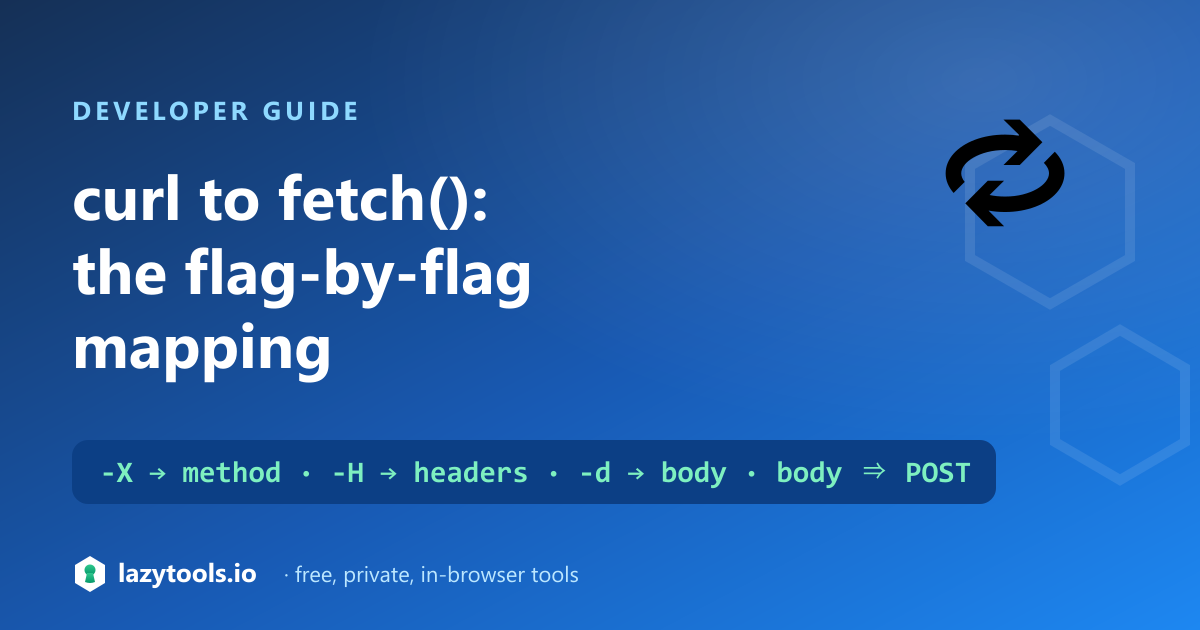
A curl command maps almost one-to-one onto a JavaScript fetch() call: -X sets the method,
each -H becomes an entry in the headers object, and -d becomes the body, with the method
defaulting to POST whenever a body is present. Once you know that mapping, translating the curl
snippets in API docs (or your browser’s “Copy as cURL”) into fetch() is mechanical. Paste one into
the curl to fetch converter and it does the translation in your browser, so any
tokens in the command stay on your machine.
The core mapping
| curl flag | fetch equivalent |
|---|---|
-X POST / --request POST | method: "POST" |
-H "Name: value" | an entry in headers: { … } |
-d '…' / --data '…' | body: "…" (and implies POST) |
-u user:pass | Authorization: Basic <base64> header |
| the URL | first argument to fetch() |
(no -X, but has -d) | method: "POST" |
(no -X, no -d) | method: "GET" |
Everything else in a typical command, -L, --compressed, -s, -k, is about how curl itself
behaves and has no bearing on the request fetch() makes, so it’s dropped.
A worked example
Take a command straight from an API doc:
curl -X POST https://api.example.com/login \
  -H "Content-Type: application/json" \
  -d '{"user":"ada","pass":"secret"}'
Applying the mapping gives:
fetch("https://api.example.com/login", {
  method: "POST",
  headers: {
    "Content-Type": "application/json"
  },
  body: "{\"user\":\"ada\",\"pass\":\"secret\"}"
})
  .then((res) => res.json())
  .then(console.log);
The URL moves to the first argument, the header becomes a headers entry, and the -d payload
becomes the body string. Note that the JSON body stays a string, fetch() does not serialise
objects for you, so the double quotes inside the payload are escaped rather than replaced with a
JavaScript object literal. If you would rather pass an object, you wrap it yourself with
body: JSON.stringify({ user: "ada", pass: "secret" }), which produces the same bytes on the wire.
A second example: authenticated GET
Not every command has a body. A read-only request with a bearer token is even simpler, because there
is no method or body to set, only the header survives:
curl https://api.example.com/me \
  -H "Authorization: Bearer abc123" \
  -H "Accept: application/json"
becomes
fetch("https://api.example.com/me", {
  headers: {
    "Authorization": "Bearer abc123",
    "Accept": "application/json"
  }
})
  .then((res) => res.json())
  .then(console.log);
With no -X and no -d, the method defaults to GET, so it can be omitted entirely, the
Fetch API uses GET by default. If the
same endpoint used HTTP Basic auth instead (-u ada:secret), the converter would replace it with
"Authorization": "Basic YWRhOnNlY3JldA==", the base64 of ada:secret
, since fetch() has no credentials shorthand of its own.
A flag-by-flag reference
Beyond the four core flags, here is how the common curl options you meet in API docs and “Copy as
cURL” output land in a fetch() call:
| curl flag | Meaning | fetch handling |
|---|---|---|
-X / --request | HTTP method | method: "…" |
-H / --header | Request header | Entry in headers: { … } |
-d / --data / --data-raw | Request body | body: "…", implies POST |
--data-urlencode | URL-encoded body field | Encoded, then appended to body |
-u / --user | HTTP Basic auth | Authorization: Basic <base64> header |
-b / --cookie (inline) | Cookie header | Cookie header (string form) |
-L / --location | Follow redirects | Dropped, fetch() follows by default |
-s, -v, -k, --compressed | curl transport/output behaviour | Dropped, no effect on the request |
-F / --form | Multipart upload | Not emitted (needs FormData) |
The rule of thumb: flags that describe the request the server sees convert; flags that describe how curl behaves on your machine do not.
The gotchas worth knowing
- A body implies POST. In curl,
-dalone switches the request toPOST. You don’t need-X POST. fetch has no such default, so the converter setsmethod: "POST"for you. - Multiple
-dflags join with&.curl -d name=ada -d age=36sendsname=ada&age=36; the same concatenation applies in the fetchbody. - Form data gets a default Content-Type. When you send
-dwithout aContent-Typeheader, curl usesapplication/x-www-form-urlencoded. To send JSON, set-H "Content-Type: application/json"explicitly, otherwise your API may misread the body. -uis base64 Basic auth.-u user:passbecomesAuthorization: Basic <base64(user:pass)>. Bearer tokens are just a normal header (-H "Authorization: Bearer …") and carry through unchanged.
What doesn’t convert (on purpose)
Some curl features don’t have a clean one-line fetch() equivalent:
-Fmultipart uploads. These need aFormDataobject built field by field, which depends on where your files come from in the browser or Node.- Cookie jars (
-c/-bwriting to files), fetch manages cookies through the environment, not a file. - Client certificates, configured at the agent/environment level, not in a
fetch()call.
Leaving these out keeps the generated code honest rather than emitting something that looks right but won’t run.
Why convert it in the browser
curl commands from real work carry real secrets, API keys, bearer tokens, basic-auth credentials. A converter that sends the command to a server has just been handed those secrets. The curl to fetch converter parses everything locally with a shell-aware tokenizer, so the command, and anything sensitive in it, never leaves your browser, and it works offline.
The bottom line
Converting curl to fetch() is a fixed mapping: -X → method, -H → headers, -d → body,
URL → first argument, with POST implied by a body. Know that and you can translate any everyday curl
command by hand, or paste it into the converter and copy the fetch() call
straight into your code.
Frequently asked questions
How do I convert a curl command to fetch()?
Map each curl flag to its fetch equivalent: -X/--request becomes the method option, every -H/--header becomes an entry in the headers object, and -d/--data becomes the body. If there's a body but no -X, the method is POST. The LazyTools curl to fetch converter does this automatically in your browser, paste the command and copy the fetch() call.
What does curl -d become in fetch?
The request body. curl -d 'a=1&b=2' becomes body: "a=1&b=2" in fetch, and the presence of -d makes the method POST unless you set another with -X. Multiple -d flags are joined with & just as curl does. For form data, a Content-Type of application/x-www-form-urlencoded is assumed unless you set one with -H.
How do curl headers map to fetch?
Each -H "Name: value" becomes a key/value pair in the fetch headers object: -H "Authorization: Bearer abc" becomes headers: { "Authorization": "Bearer abc" }. The header name is everything before the first colon and the value is everything after it, trimmed.
How does curl -u (basic auth) translate to fetch?
curl -u user:pass sends HTTP Basic authentication, which in fetch is an Authorization header: Authorization: Basic <base64 of user:pass>. The converter base64-encodes the credentials and adds that header for you, since fetch has no direct -u equivalent.
Which curl features don't convert to fetch?
Multipart file uploads (-F), cookie jars (-c/-b to files), and client certificates don't map cleanly onto a single fetch() call and are left out deliberately. The everyday flags from API docs and the browser's Copy as cURL, method, headers, JSON or form body, and basic auth, all convert.
Is my curl command uploaded when I convert it?
Not with the LazyTools converter. It parses the command entirely in your browser, so any API keys, bearer tokens or credentials in the command never leave your device. It also works offline.