
explainer
Mbps vs MB/s: Why Your Download Is 8× Slower Than Your Internet Plan
By Uttam Regmi · Published 2026-07-13 · Updated 2026-07-13 · 5 min read · Fact-checked, sources cited
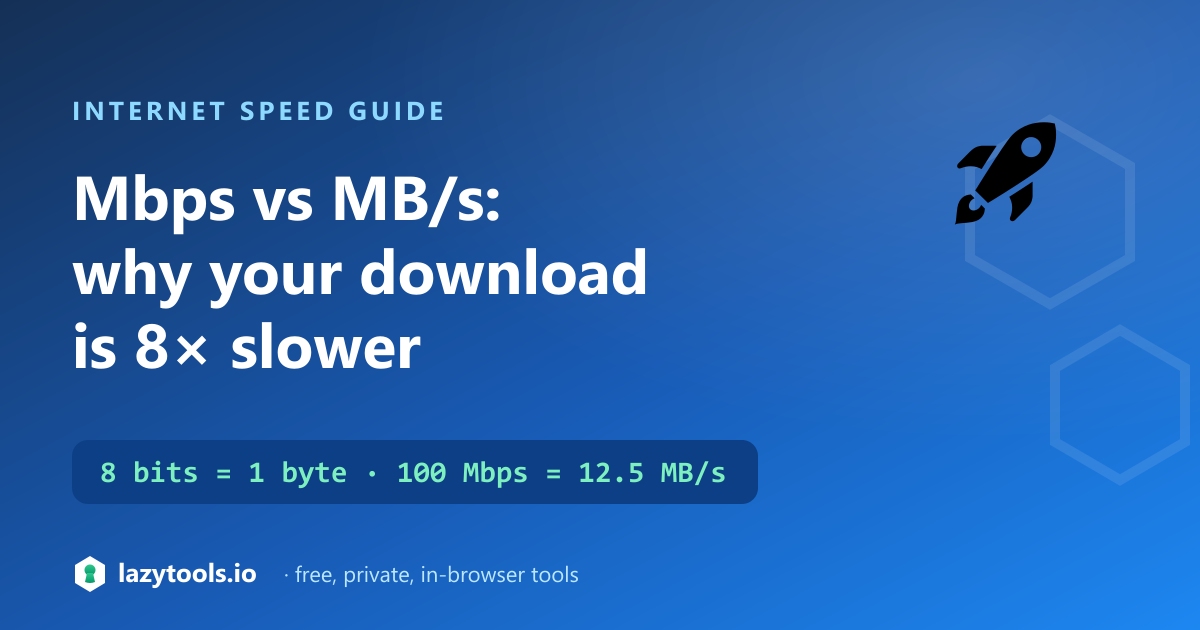
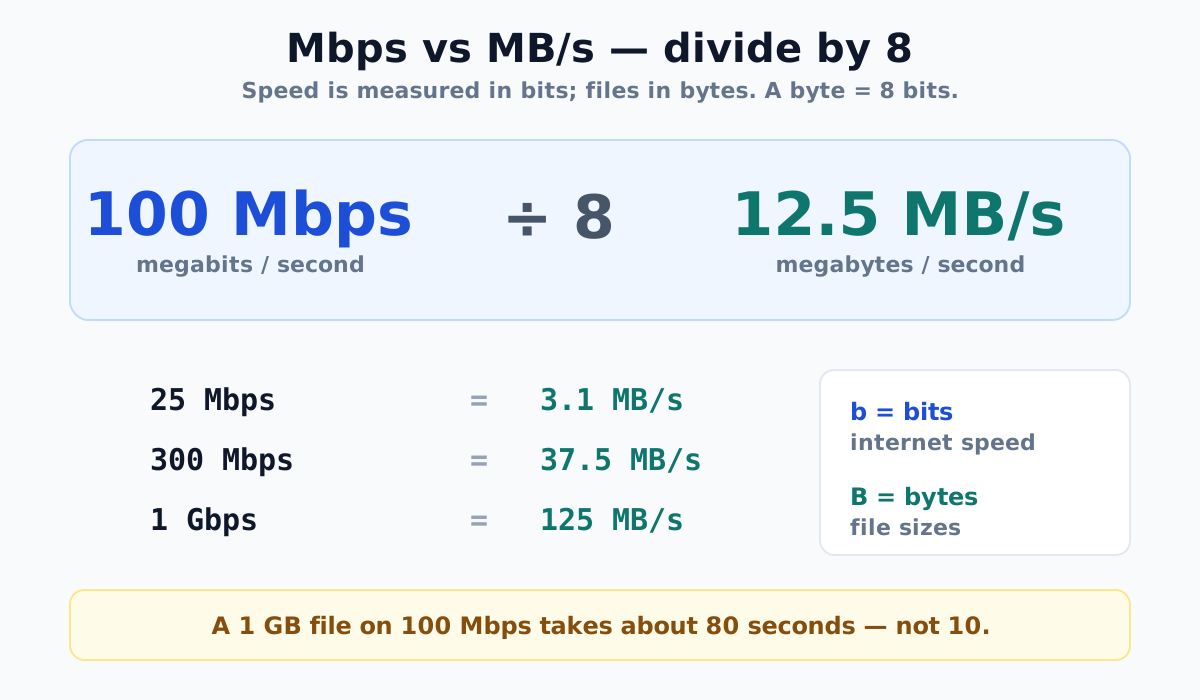
Your internet plan says 100 Mbps, but your download manager shows about 12 MB/s, and nothing is wrong. Internet speeds are quoted in megabits per second (Mbps), while file sizes and download rates are shown in megabytes (MB). There are 8 bits in a byte, so you divide the megabit figure by 8: 100 Mbps ÷ 8 = 12.5 MB/s. That factor of 8 is the single most common source of confusion about internet speed.
Bits, bytes, and the factor of 8
A bit is the smallest unit of digital data, a single 0 or 1. A byte is a group of 8 bits, and it’s the unit we measure files in: a photo is a few megabytes, a movie a few gigabytes.
Data transmission, though, has always been measured in bits per second, a convention inherited from telecoms. So two different units describe the same pipe:
- Bit-rate, bits per second: bps, Kbps, Mbps, Gbps. This is what your ISP sells.
- Byte-rate, bytes per second: B/s, KB/s, MB/s, GB/s. This is what your browser or download manager reports.
Because a byte is 8 bits, you convert between them by a factor of 8:
- Mbps → MB/s: divide by 8
- MB/s → Mbps: multiply by 8
The capital-versus-lowercase “B” is the giveaway: lowercase b is bits, uppercase B is bytes. “Mbps” and “MB/s” look almost identical but differ eightfold.
Conversion table
| Internet plan (Mbps) | Download speed (MB/s) | 1 GB file takes about |
|---|---|---|
| 25 Mbps | 3.1 MB/s | 5 min 20 s |
| 50 Mbps | 6.25 MB/s | 2 min 40 s |
| 100 Mbps | 12.5 MB/s | 1 min 20 s |
| 300 Mbps | 37.5 MB/s | 27 s |
| 500 Mbps | 62.5 MB/s | 16 s |
| 1,000 Mbps (1 Gbps) | 125 MB/s | 8 s |
These are theoretical maximums. In practice, expect roughly 10-20% less because of protocol overhead, Wi-Fi, and the limits of the server you’re downloading from.
Why ISPs use the bigger-sounding number
Marketing plays a part, “100 Mbps” sounds eight times faster than “12.5 MB/s”, but the deeper reason is genuine: the bit is the fundamental unit of data transmission, and network engineering has always counted in bits. Your download manager then counts in bytes because that’s how files are sized. Neither is wrong; they’re just two scales for the same thing, and the factor of 8 sits between them.
How long will a download take?
Transfer time is simply the file size divided by the speed, once both are in the same unit. The trick is converting first:
- Convert the file size to bits: bytes × 8. A 1 GB file is 8,000,000,000 bits.
- Divide by the speed in bits per second. On 100 Mbps (100,000,000 bps): 8,000,000,000 ÷ 100,000,000 = 80 seconds.
That’s why a 1 GB game update on a “100 Mbps” connection takes over a minute, not ten seconds. Our bandwidth converter turns any speed between Mbps and MB/s instantly, and the download time calculator estimates transfer times (with an optional real-world overhead adjustment) from a file size and your connection speed.
A note on decimal vs binary
There’s a second, smaller subtlety. Networking uses decimal units, 1 Mbps is exactly 1,000,000 bits per second. Storage sometimes uses binary units, where 1 MiB (mebibyte) is 1,048,576 bytes. That distinction can shift a calculation by a few percent, but it’s separate from, and much smaller than, the eightfold bits-versus-bytes gap. For everyday internet-speed questions, the factor of 8 is the one that matters.
Frequently asked questions
Is 100 Mbps the same as 100 MB/s?
No, and this is the most common mistake. 100 Mbps (megabits) equals only 12.5 MB/s (megabytes), because a byte is 8 bits. A 100 Mbps connection downloads a 1 GB file in about 80 seconds, not 10.
How do I convert Mbps to MB/s?
Divide by 8. Megabits per second ÷ 8 = megabytes per second. So 100 Mbps = 12.5 MB/s, 300 Mbps = 37.5 MB/s, and 1 Gbps = 125 MB/s. To go the other way, multiply MB/s by 8.
Why is my download slower than my internet speed?
Partly the bits-versus-bytes confusion (your download shows bytes, your plan quotes bits), and partly real-world losses: Wi-Fi interference, a slow or busy server, distance, and protocol overhead typically cut 10-20% off the theoretical maximum. If a download is far slower than 1/8 of your plan speed, the bottleneck is usually the other end or your Wi-Fi.
How fast is a 1 Gbps connection?
1 Gbps is 1,000 Mbps, which is 125 MB/s. It downloads a 1 GB file in about 8 seconds in theory, though at those speeds your hard drive, Wi-Fi, or the source server often becomes the limiting factor rather than the connection itself.
What’s the difference between Mb and MB?
Lowercase “Mb” (megabit) is 1,000,000 bits; uppercase “MB” (megabyte) is 1,000,000 bytes, which is 8,000,000 bits. So 1 MB = 8 Mb. Internet speed uses Mb (Mbps); file sizes use MB. The single letter’s case makes an eightfold difference.
Why do ISPs advertise in megabits instead of megabytes?
The bit is the fundamental unit of data transmission and the historical standard in telecoms and networking, so speeds have always been quoted in bits per second. The larger-sounding number is a marketing bonus, but the underlying reason is a genuine engineering convention.
Frequently asked questions
What is the difference between Mbps and MB/s?
Mbps is megabits per second (lowercase b), the unit ISPs use to advertise connection speed. MB/s is megabytes per second (uppercase B), the unit browsers and download managers use. Since there are 8 bits in a byte, they differ by a factor of 8.
How do I convert Mbps to MB/s?
Divide the megabit figure by 8. For example, 100 Mbps divided by 8 equals 12.5 MB/s. To go the other way, from MB/s to Mbps, multiply by 8.
How fast is a 100 Mbps connection in MB/s?
About 12.5 MB/s at the theoretical maximum. In practice, real-world speeds typically run 10 to 20 percent slower due to overhead, so you may see closer to 10 to 11 MB/s.
Why is my download so much slower than my internet plan?
Usually nothing is wrong. Your plan is quoted in megabits while your download manager shows megabytes, and there are 8 bits in a byte. A 100 Mbps plan downloads at about 12.5 MB/s, which only looks slow because the two figures use different units.
How long does it take to download a 1 GB file on 100 Mbps?
About 80 seconds, not 10. At 100 Mbps you get roughly 12.5 MB/s, so a 1 GB (1000 MB) file takes around 80 seconds at the theoretical maximum, and a little longer in real-world conditions.